CodeCTRL
by
A dynamic source code analysis tool...
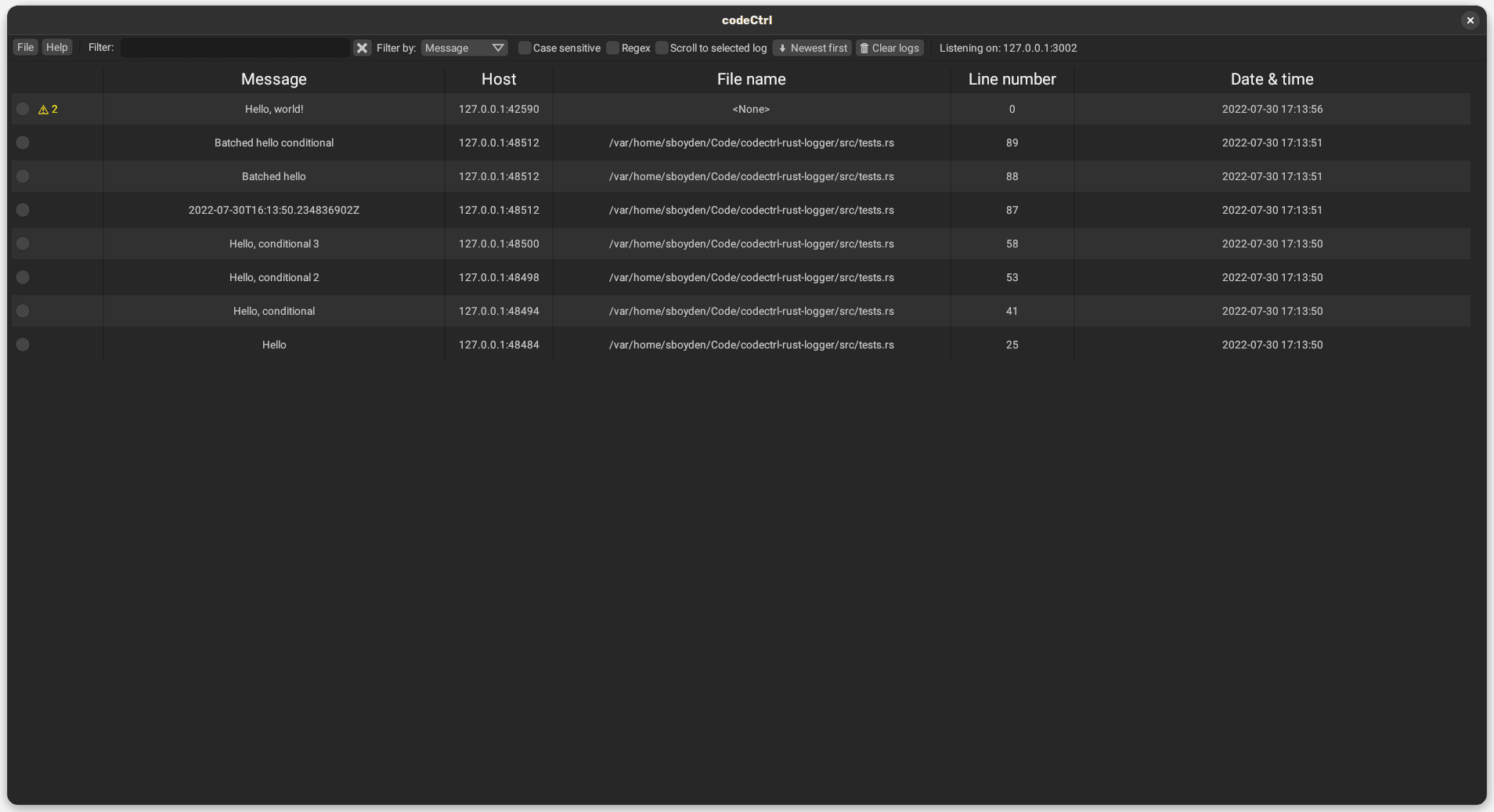
That collects logs in one friendly interface
We often use logging to understand what bits of code get executed and what is stored in variables.
Using CodeCTRL's interface over the console allows you to...
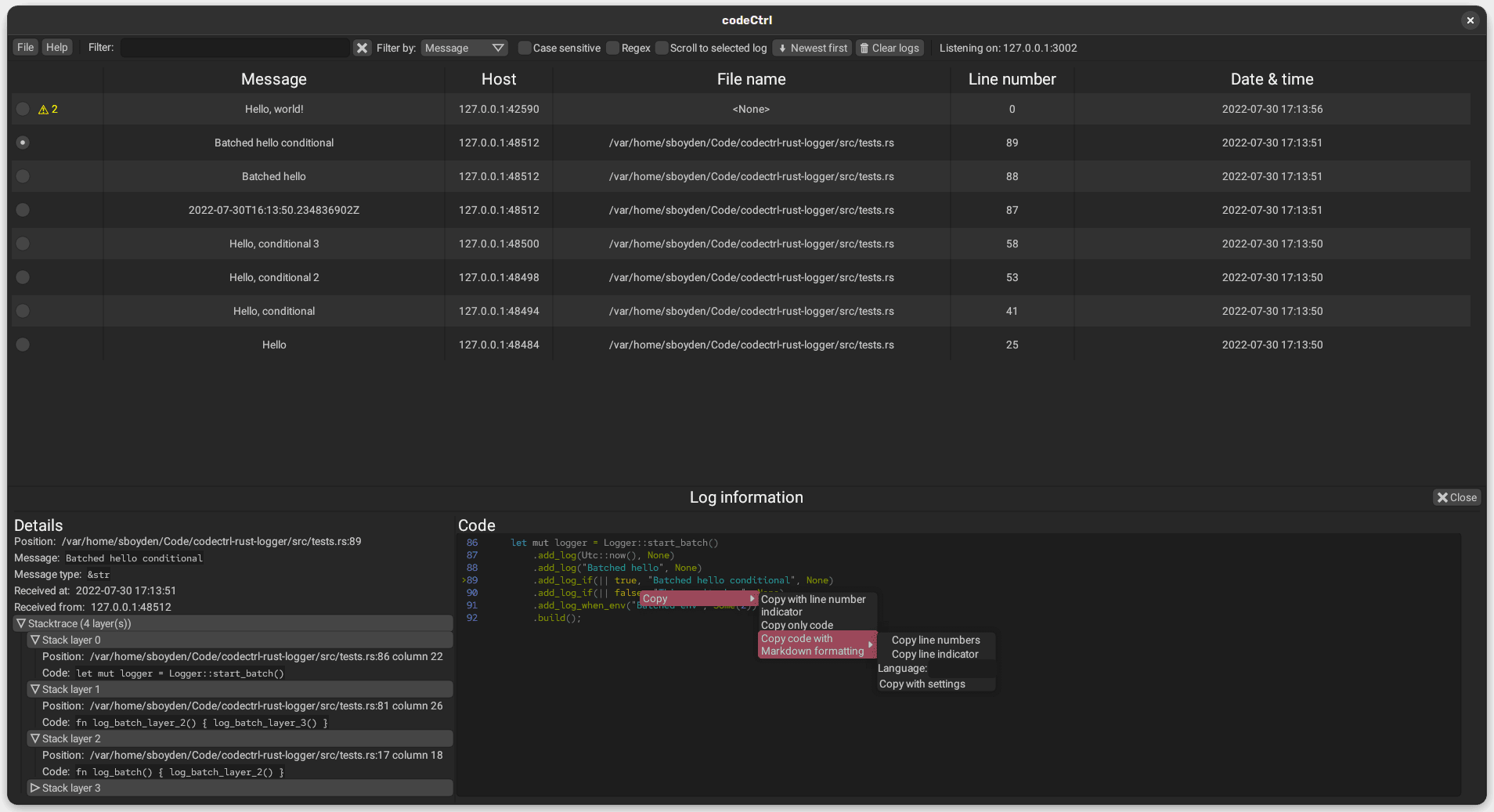
Get detailed information about any selected log
Instead of just the text passed to it, CodeCTRL collects the following information:
- The call stack
- The log message
- Where it was called
- Some code context for the log
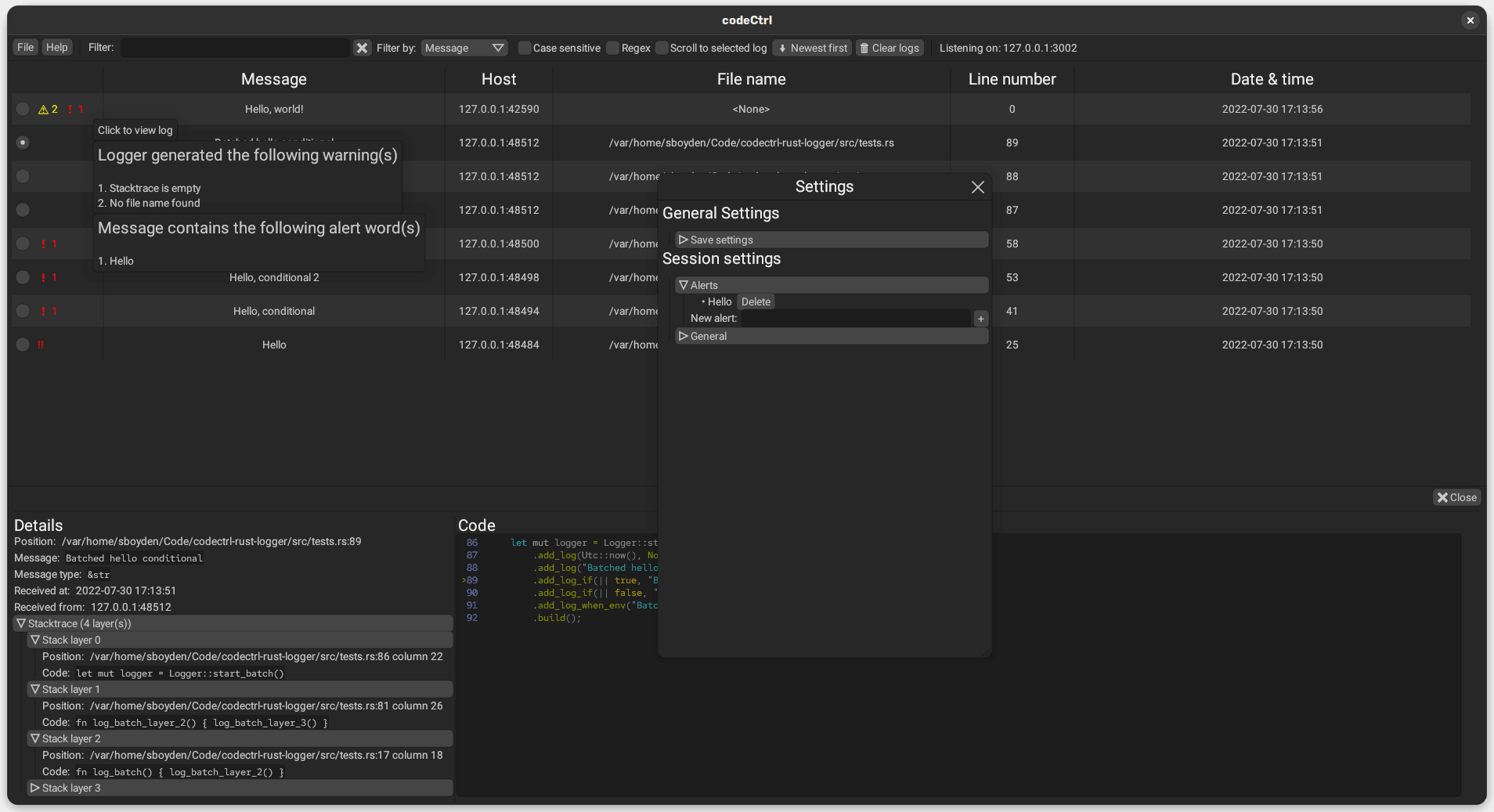
Set alerts for specified keywords
You know that a function is vulnerable, you just need to know if user input reaches it?
Insert a logger call to the function, and set an alert for a keyword. Now paste that keyword into every user input. CodeCTRL will alert you if it matches.